Nineteen agents running.
One window that knows.
Armada is a menu bar app that watches every Claude Code, Codex and Grok Build session on your Mac, across accounts and across vendors: which one is waiting on you, how full its context is, how much of each plan is left, and where each week will land before it resets.
macOS 26 or later · free 30-minute trial · 30-day refund · no account
- Migrate the billing webhooks api-gateway · ~/.claude · 6m Waiting for you
- Audit the loopback listener swift-mcp-kit · ~/.claude · 31m Running a tool
- Rework the transcript condenser armada · ~/.claude · 4m Working
- Port the rollout reader armada · ~/.codex · 9m Working
- Draft the release checklist bastion · ~/.claude-acme · 2h Idle

Every account in the sidebar. Every session one click away.
The account, one config folder, is the unit everything hangs off, because it is the unit the data is organised by. Two folders share nothing: separate sessions, separate transcripts, separate rate limits. So the sidebar is accounts, and each one lists what it is running, sorted by what needs you.
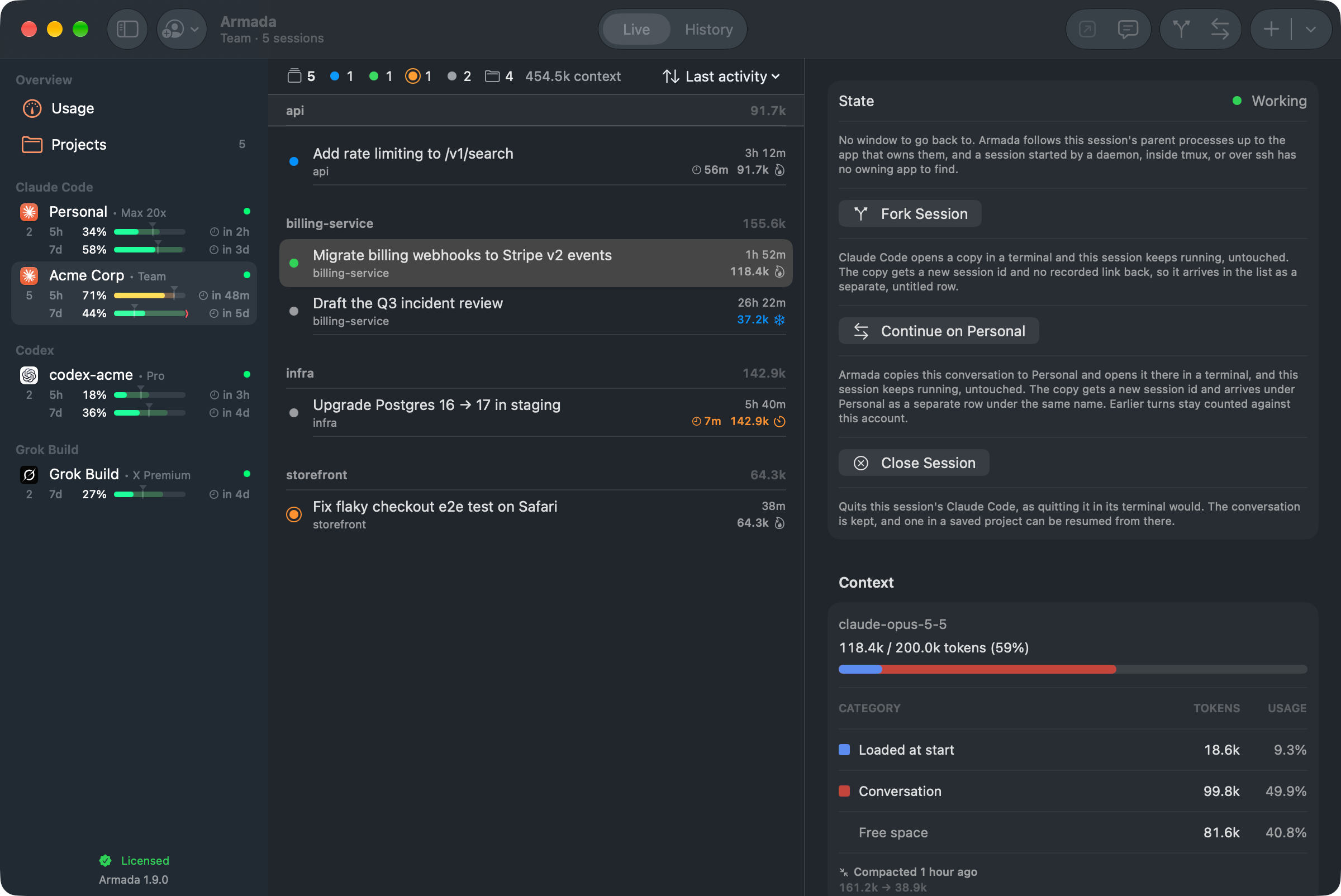
Select a session and the detail pane shows its title, project, state and how full its context window is, where it started and when it was last compacted. Select nothing and you get the account itself: the folders it ran in last, one click each, and a tally of what its sessions are doing.
- Focus Brings forward the app a session runs in, VS Code or a terminal, and its own window where Accessibility allows.
- Fork A copy of a session from where it stands, through the vendor's own fork command. The original is left alone.
- Continue on another account A Claude Code session stopped at one account's limit carries on under another. The conversation is copied there and opened in a terminal; the original keeps running, and its earlier turns stay counted where they were spent.
- New session Starts
claude,codexorgrokin a folder you pick, on the account you pick, in your own terminal. - The menu bar A glyph that fills while anything works and rings when a session wants you. Star a plan limit to keep it beside the glyph.
The rest of it, as it actually looks.
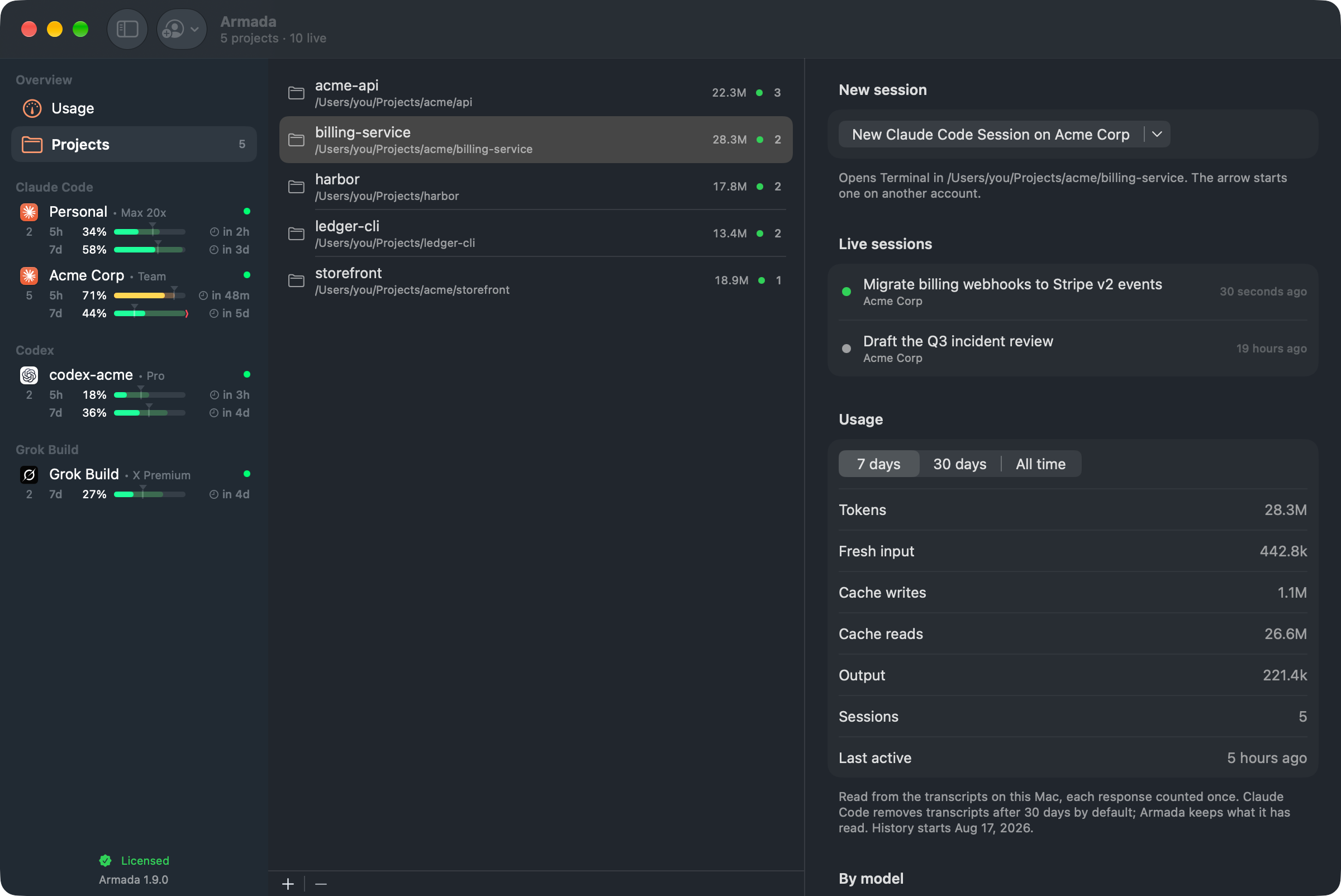
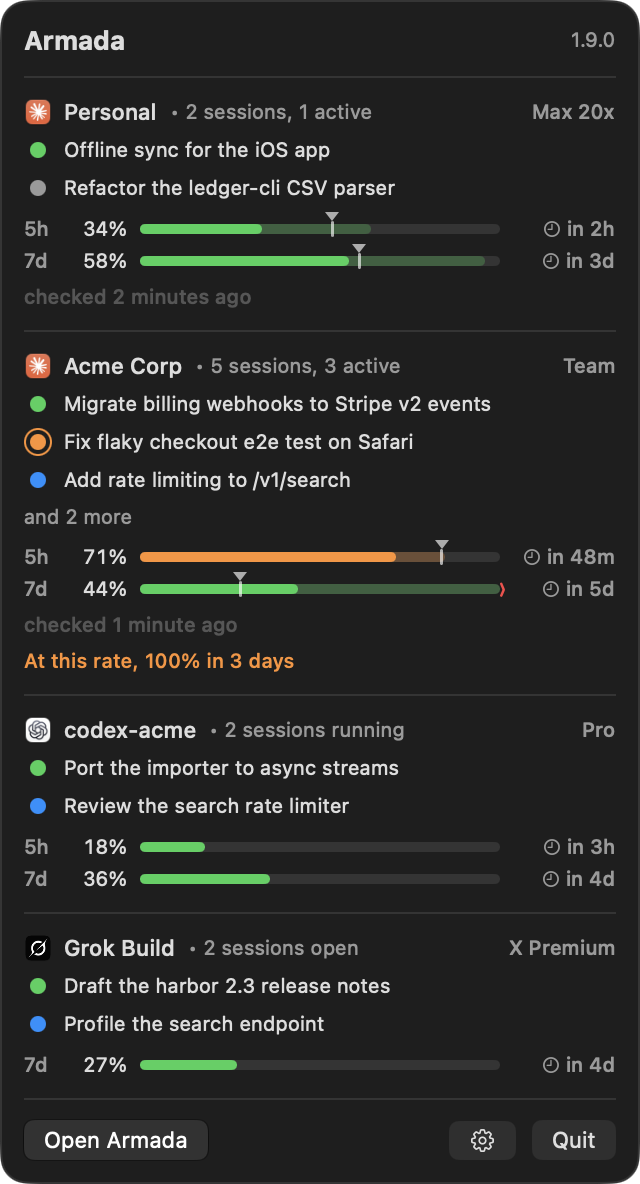
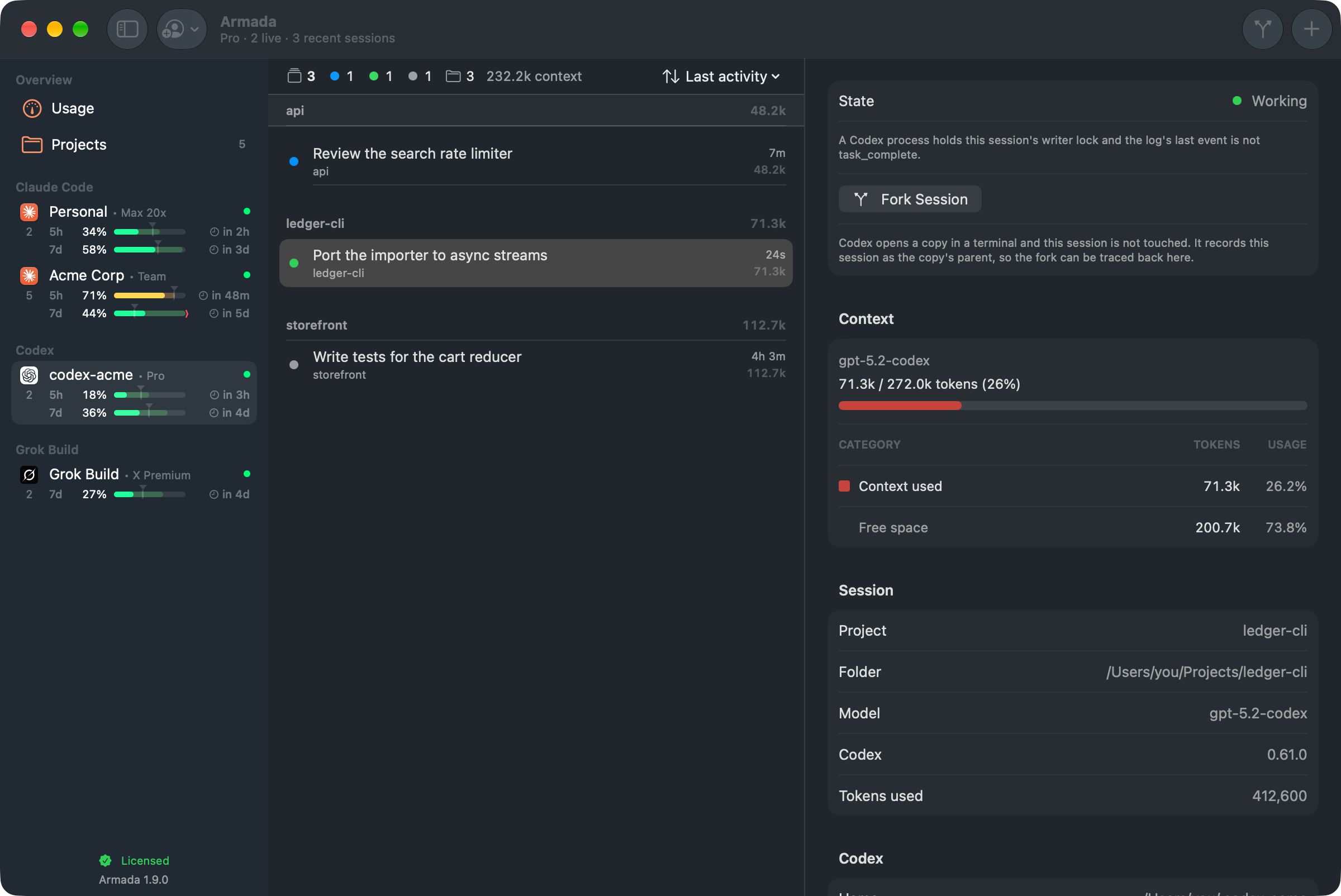
Captured from Armada itself, running on invented accounts rather than anyone's real sessions. Select any still to see it at full size.
Sixteen sessions, four accounts, and nothing that knows about all of them.
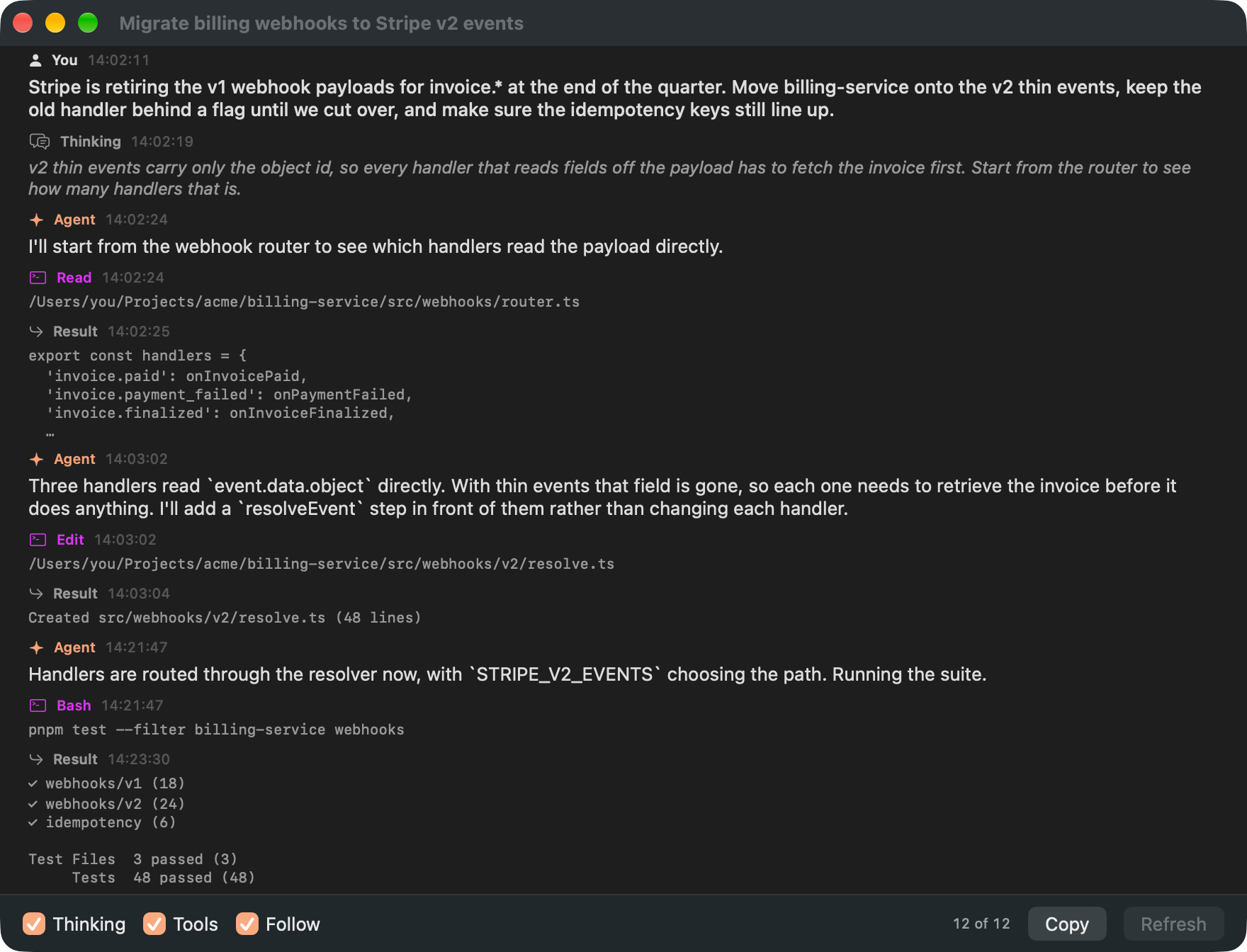
Sixteen Claude Code sessions in VS Code, Codex threads in another window, Grok Build in a terminal, a second account in its own config folder. Every one of them knows its own state. None of them knows about the others, and neither does any window you can open.
So the work becomes tab archaeology: click through sixteen panes to find the two waiting on you, and check a rate limit by asking whichever account happens to be in front. The state is already on disk. It just has nowhere to be read together.
 Armada
 read only
Nothing is proxied, and the agents you run stay yours. Armada reads what they already write down.
It watches the files your agents already write.
No proxy, no wrapper, no shim in front of your agent. Armada reads ~/.claude* and ~/.codex, watches them with FSEvents, and asks each account's own claude for the one figure a file cannot give: how much of the plan is left.
- 01 The account is the unit
One config folder is one account. Armada finds
one watcher per folder~/.claude, every~/.claude-*sibling,CLAUDE_CONFIG_DIR,~/.codexandCODEX_HOME, and hangs a watcher and a usage reading off each, because two folders share nothing. - 02 FSEvents, not polling
Each Claude Code folder gets its own stream on its sessions and projects trees. A session appears in the list when the agent writes its registry entry, and changes state when the agent does.
no process attached, nothing injected - 03 State is read, not guessed
Claude Code's registry says busy, waiting or idle, and names what a waiting session wants. Armada trusts that and shows the text as written. Only a tool call with no answer yet is inferred, and the app says so where it shows it.
registry first, transcript tail second - 04 It starts sessions, never owns them
New Session writes a startup script with the account in it and hands it to your terminal. The session then arrives through the watchers like any other. Fork is the same, with the vendor's own fork flag.
no pipes, no wrapper, no proxy
How much is left, per account, and when it comes back.
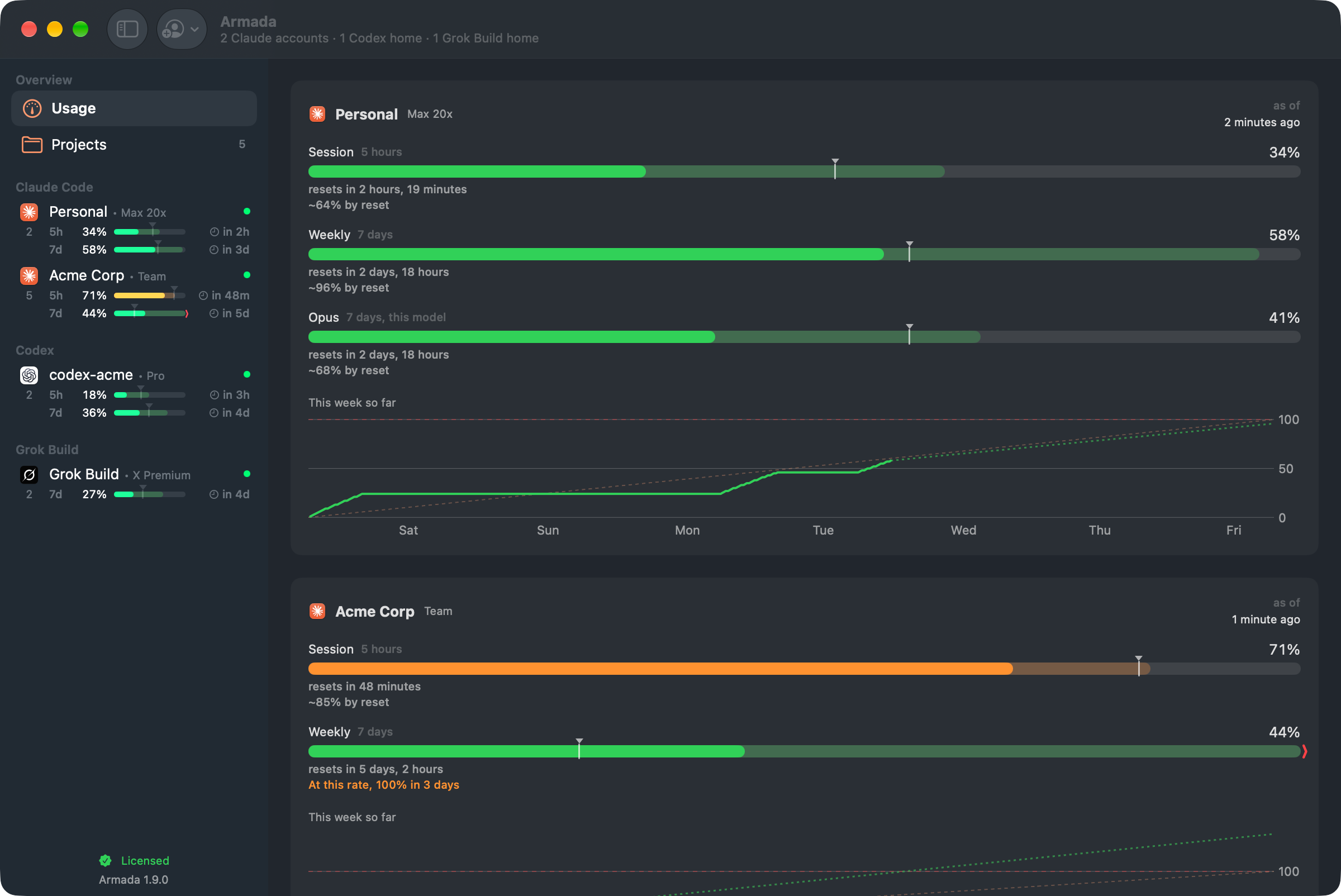
The 5-hour and 7-day windows for every account, with reset times, a pace line and a forecast.
Claude Code's are asked of the account's own claude, in a request that costs no
tokens, with the cache on disk as the fallback. A badge says which one answered and how old the
figure is, because a stale number that looks live is worse than none. And when one account runs
out, a Claude Code session does not have to stop: continue it on another account, from where it
stood.
Armada holds no vendor credentials. There is no sign-in, and nothing reads or stores a token:
every account speaks for itself, through the CLI you already installed. Codex homes sit beside
them, read from their session logs, with how old the figure is shown first. Grok Build writes
its weekly allowance nowhere on disk, so Armada asks your own grok, the same
question its /usage asks, and it costs nothing.
Ask an agent which of your agents needs you.
Turn it on, and Armada serves an MCP endpoint on your Mac. One button then opens an ordinary Claude Code session with that endpoint attached, its read tools pre-allowed and a brief already written. The session is the interface: ask it what the fleet is doing, what a session last said, or how much plan is left before you start another.
Off by default, because it is the one part of the app that shows your fleet to a model. It
binds 127.0.0.1 only and answers a token kept in your Keychain. Its tools only read
until you turn on Allow writes, and even then none of the six that act is pre-allowed. The
session runs on your own plan, and its connection details never touch your Claude
configuration.
Or skip the terminal: turn on voice, press a shortcut anywhere and ask out loud. A card at the
top of the screen shows the answer while it is spoken. Your speech becomes text on the Mac, and
the question goes to a claude Armada runs on your account, with the read tools, and
with Allow writes on, starting a session and bringing one forward.
- What needs me The Claude Code sessions that want you now, most urgent first, with what each is waiting for. The same rule that rings the menu bar icon.
- Fleet overview Every account and session Armada watches, across all three vendors, with state, context and when each last moved.
- One session Everything known about one session: what it waits for, project, model, context occupancy, and the app hosting it.
- What a session said The latest turns of one transcript: what was asked, what was answered, which tools ran. A bounded tail, never the whole file.
- Plan limits Each account's 5-hour and 7-day windows, or Grok Build's weekly allowance, how much is used, when each resets, and how old the figure is.
- Saved projects Each saved project's default agent and account, its live sessions, and the tokens spent in it over 7 days, 30 days and all time.
- Wait for a change Holds the call open until a session newly needs you or changes state, for up to four minutes, so a supervisor watches without polling.
- Scheduled tasks Every Codex automation and Claude desktop scheduled task on the Mac. The vendor's own app runs each one; Armada never does.
- Start a session Opens your terminal on a new session in a saved project, or resumes one nothing has open. The session still asks you for every permission.
- Close a session Ends a Claude Code session the way quitting it would. The transcript is kept, and a session mid-turn is closed only after asking you.
- Bring a session forward Raises the window a Claude Code session runs in, on its own tab in VS Code when Armada can find it.
- Message a session Puts a message in front of a running Claude Code session, labelled as coming from an agent. Also needs Deliver messages to sessions.
- Save a Codex schedule Creates or changes a Codex automation in a saved project, which Codex then runs on its own until it is paused or deleted.
- Delete a Codex schedule Removes a Codex automation so Codex stops running it, and Armada posts a notification when it does.
What it will not do, in the order it matters.
An app that can see every agent you run is an app worth being specific about. These are constraints in the code, not intentions, and each one can be checked from outside.
make audit checks them against every build, sweeping each binary in the app for networking symbols with
three narrow allowances: the update framework, voice's speech framework and the supervisor's
loopback listener. The programs
Armada runs do use the network: the claude it asks for your plan limits, and the one
that answers when you talk to it, talk to Anthropic over your own sign-in, as they do whenever
you use them. The full inventory is on the privacy page.
- 01 It never holds a vendor credential There is no sign in with Claude. Nothing reads, stores or refreshes a token, neither Codex's nor Grok Build's
auth.jsonis ever opened, and no account is ever authenticated by Armada. The vendor's own CLI speaks for it. - 02 Four named writes where your agents keep theirs
~/.claude*,~/.codexand~/.grokare read, and written in four places only, each from something you did: the trust flag Claude Code's own "Yes, I trust this folder" sets, when you start a session in a saved project; one hook in each Claude Code account'ssettings.jsonwhile message delivery is on; a copied transcript when you continue a session on another account; and Armada's MCP entry in a Claude Code or Codex config when you press Configure. Everything else it writes is its own: preferences, 30 days of usage history, a startup script when you start a session, and a folder for voice's conversation when you use it. - 03 Nothing leaves the Mac No telemetry, no sync, no licence server: the key is verified offline. Armada makes two requests, each only when you ask: the update check, which reads
armada.mgcrea.io/appcast.xmland sends no identifier with it, not your key and not a machine id, and the speech models voice downloads from Hugging Face. - 04 The supervisor is off, loopback and read-only by default The one path that shows your fleet to a model is a switch you turn on yourself. It binds
127.0.0.1, answers only a token held in the Keychain, and serves eight tools that can only read. Six that start, close, bring forward or message a session, or save or delete a Codex schedule, exist only while Allow writes is on, which it is not by default.
Three vendors, read the same way.
Claude Code is the case Armada was built around and the one it reads most completely. Codex went in as a spike: real code and shipped behaviour, thinner than Claude Code's, and named as a spike here because that is what it is. Grok Build is read the way Codex is, from its own folder.
Claude Code
the reference- Every live session with its title, project, age and state, from Claude Code's own session registry
- What a waiting session wants, in Claude Code's own words
- Context occupancy, its growth and the last compaction, from the transcript
- The 5-hour and 7-day windows, asked live, with the cache on disk as the fallback
- Focus, back to the editor or terminal a session runs in
Codex
a spike- Sessions from the rollout logs, with liveness read from the writer locks
- Three states: working, waiting for input, and ended
- Token counts as a context reading, with the growth series and the opening figure
- Plan limits from the session logs, shown with how old they are, since Codex keeps no cache to ask
- No Focus, because Codex records no process id on disk
Grok Build
the newest- Live sessions from Grok Build's own list of open sessions, with titles from each session's summary
- Three states: working, waiting for input, and ended
- Tokens, cost and how much of the context window is left, from the session log
- The weekly allowance, asked of your own grok the way its /usage asks, at no cost
- No Focus yet, and a permission prompt is not read from disk yet, so a session never says it wants you
One price, one major version, every Mac you own.
No subscription and no per-seat tier. Armada is a window onto files you already have, and charging rent for a menu bar app that reads your own disk is not a business this wants to be in.
The trial answers whether Armada reads your accounts correctly. The refund answers whether it was worth the money, which is a different question, and asked second.
€14.99 in the EU, VAT included.
- Every 1.x release, on every Mac you own The key is issued to you, not to a machine, and nothing counts your installs. A 2.0, if there is one, would be a new purchase; nothing lapses in between.
- Verified offline, on your Mac A key is a signature the app checks locally. No activation call, no licence server, and nothing that refuses to start because a host is down.
- A free 30-minute trial of the whole app Not a reduced version. Start it from a button when you are ready; nothing starts it on its own. Without a licence or a trial running, Armada watches nothing and says so.
- 30 days to change your mind Full refund, no reason needed.
- The source stays readable What is sold is the signed, notarized build. An app that can see every agent you run should be readable by the people trusting it.
The trial is held in memory, so quitting and reopening Armada starts another one. Nothing prevents that, and nothing pretends to. The licence terms set out the rest, including delivery of the key and the refund. The source licence covers the code.

Bastion
One MCP server, running once.
A menu bar app that supervises the MCP servers your agents connect to: one process per profile instead of one per editor, credentials in the Keychain, and every tool call recorded.

Cupertino
Your Apple apps, as MCP servers.
Mail, Notes, Calendar, Messages and the rest of the Apple apps already on your Mac, served to any agent that speaks MCP, behind one Full Disk Access grant held by a signed menu bar app.
Stop opening sixteen tabs to find the two that need you.
Read only, local only, no credentials, no account. It watches the files your agents already write, and tells you which ones are waiting. Signed with a Developer ID and notarized by Apple.
$14.99 once, for every 1.x release, on every Mac you own · 30-day refund · macOS 26 or later · SHA-256 · release notes